

My normal workday has gradually shifted toward the use of AI over the past year. It’s writing a good bit of code for me, but I see it as a performance enhancer, not a replacement for a competent developer.
Here’s a great example of how it helps me in real life: I recently wrote out some type definitions for GraphQL and then asked Codex to stub out the functions that would need to be called to fulfill those requests.
At first, it completely botched the entire request. It actually deleted the definitions I had written and then declared the work done. After some wrangling, I finally got it to do what I wanted. The entire thing probably saved me about 30 minutes over doing it manually — which isn’t nothing, but it’s not exactly a revolution, either.
A lot of my interactions with AI tools have been like this: definitely useful, but nothing groundbreaking.
The Codex CLI is a recent addition to my workflow. Before, I would copy code snippets into ChatGPT’s interface and ask it questions. It wasn’t really doing the work for me; it was acting like the good ol’ days when I would turn around to my cubemate and ask a quick question.
Using a CLI tool has obviously streamlined that, and it can handle complex tasks with relative ease. I’ve only trusted it on green field development, though. It still struggles with existing codebases. It doesn’t quite know when to stop itself from doing things I didn’t ask for, and most times it messes up enough that I have to revert everything and just do it myself.
This is almost certainly because of a lack of context. For an AI to really understand what it needs to do, it needs a level of institutional knowledge that simply doesn’t exist in a project built ten years ago. Hell, even the humans who built it usually don’t have that context anymore.
For new projects where AI is a key contributor, it’s becoming increasingly important that we save, provide, and update project context so our AI agents can make meaningful contributions. Why did we use that field? What is that button really supposed to do? Who are we even building this for?
This is something we should have been doing all along. Of course, as humans, we simply don’t. Decisions are made in meetings where getting everyone on the same page is difficult, let alone going back and updating a product document with what was or wasn’t said. Most of us move onto the next priority without a second thought for documenting decisions for posterity.
How, then, do we get to the point where that context exists, stays up to date, and is detailed enough for AI tools to actually be useful?
The BMad Method
I was first exposed to the Breakthrough Method of Agile AI Driven Development (BMad) at a workshop during a work trip a couple of weeks ago. BMad describes itself as “the best and most comprehensive Agile AI Driven Development framework that has true scale-adaptive intelligence that adjusts from bug fixes to enterprise systems.” Sure. Sounds great…
The goal of the workshop was ostensibly simple: given loose requirements and a data set, use BMad to create a plan and execute on a working application. Teams consisted of three or four developers and a product person to mimic a real-world team. In the first four hours, our team went through the entire BMad process.
Our experience was, admittedly, not great.
In what’s called Party Mode, the framework tries to create multiple agents, each with a different personality. There’s a technical architect, a scrum master, etc.
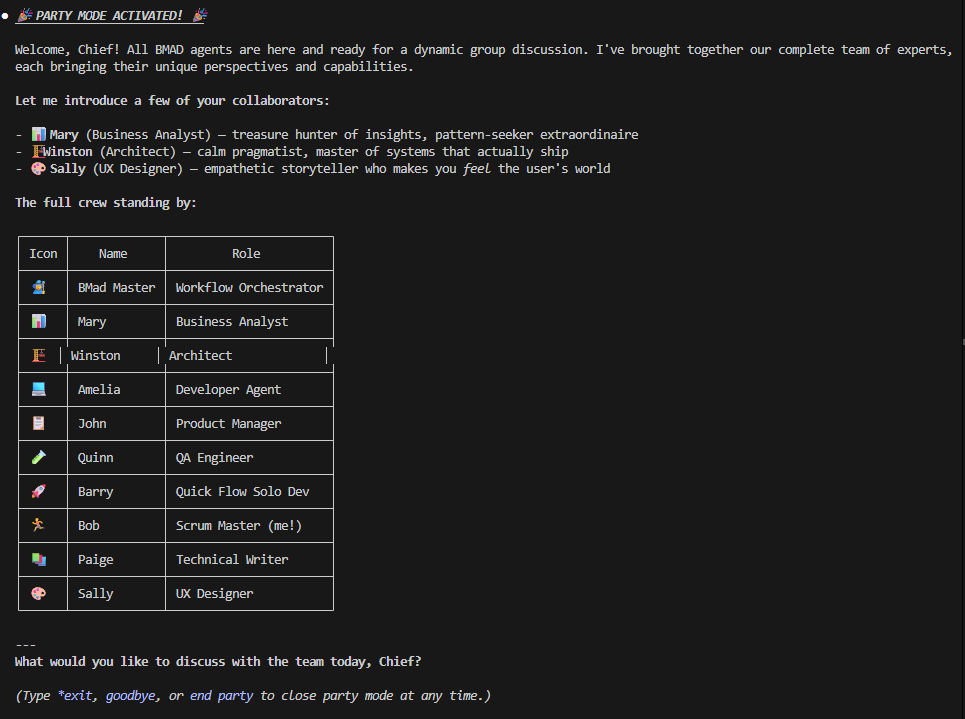
I’m not sure if this is really the intended way for BMad to be used, but we were given the option and it sounded like it’d be useful. While I can see where this might help for people unfamiliar with the tech they are using, it seemed silly for us. We were basically having them debate whether or not React was the right web framework to use.
On every technical decision, it even produced a multi-paragraph opinion for the scrum master that essentially boiled down to: this will work for Scrum. Go figure.
I didn’t really see the point. After a few rounds of making decisions, everyone’s eyes glazed over. It felt unnecessary, like we were going through the motions — not entirely different from teams I’ve been on that did Scrum just to check a box rather than solve a problem.
After what felt like an eternity, we did finally produce code. It was fine, but nothing life-changing or different from what we’ve been doing for the past year. It seemed like a very long way around to produce something we could have vibe coded in a few minutes.
But focusing on the code misses the thing that really mattered. Inside a few dozen files, the BMad agents had created a plethora of markdown documents detailing our technical decisions, product considerations, and even the way it was breaking up work into stories.
This was the magic. It was tangible. It was a long way from something we could use in a production project, but it was a start. If this were a real product, anyone joining the team could use this documentation to get up to speed. If they used the same framework, the AI could follow the logic of past decisions with ease.
Planning Mode
Fast forward a couple of weeks to a personal project for my photography print storefront. I had three clear goals:
1. Get off Shopify. I’m using their starter subscription, and my custom storefront basically just links back to their UI. It’s a clunky user experience.
2. Consolidate vendors. My setup was a mess: Netlify for hosting, Bunny for storage, Shopify for conversions, Stripe for payments, and Gelato for fulfillment. Too many moving pieces.
3. Improve my workflow. There is a lot of manual effort involved in adding a new photo. The more friction there is, the less likely I am to actually do it.
Determined, I fired up Cursor and got to work.
I knew I could eliminate Shopify by using Stripe’s product management directly. My offerings aren’t extensive, so it was an easy win. Since Bunny handles my DNS and storage, and they offer Edge Scripting (using Deno), I decided Netlify was on the chopping block too.
I started the way I normally do, using Cursor’s Composer. At a certain point, I got stuck in a loop over a typing issue that it couldn’t fix, so I switched the model to Opus 4.6.
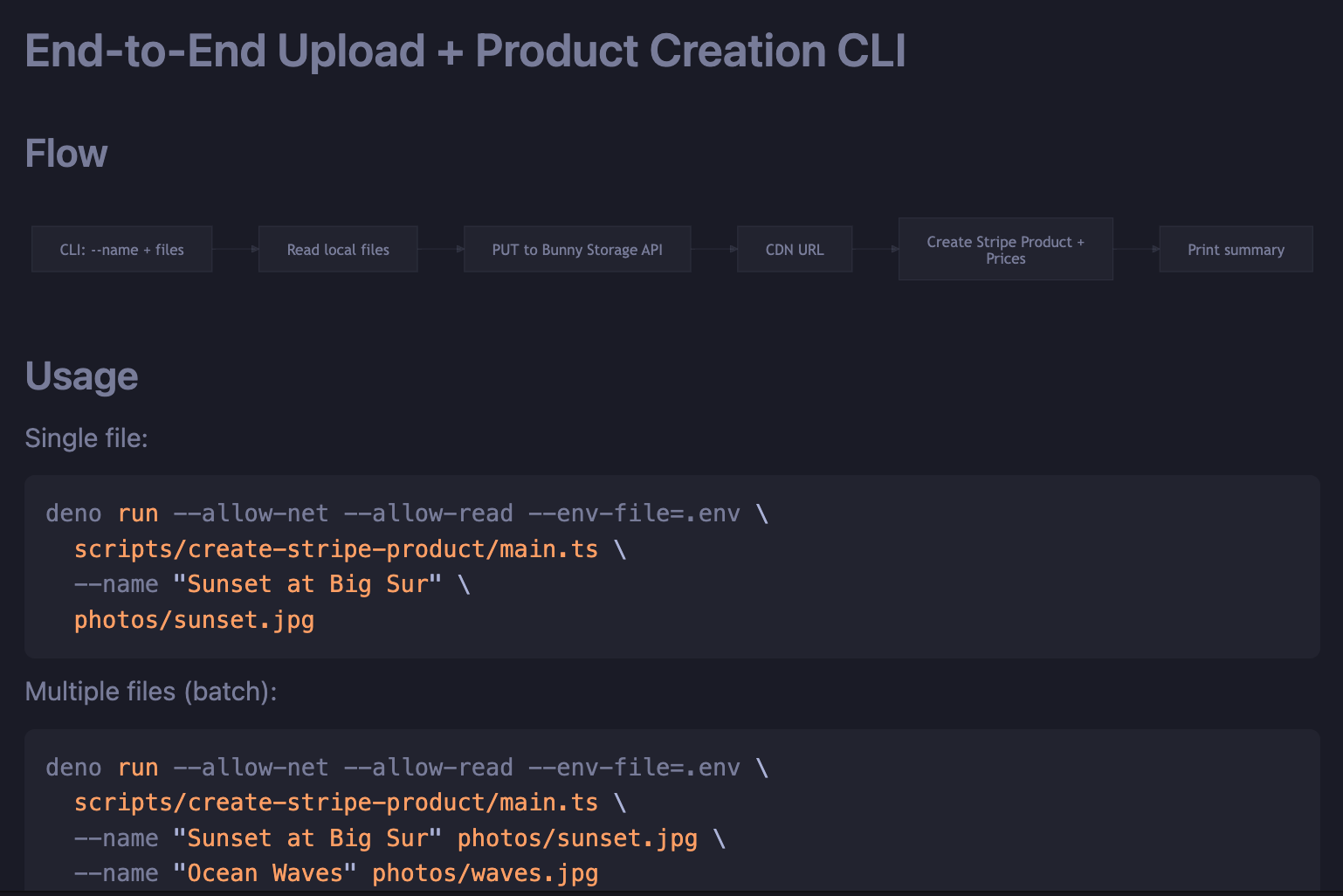
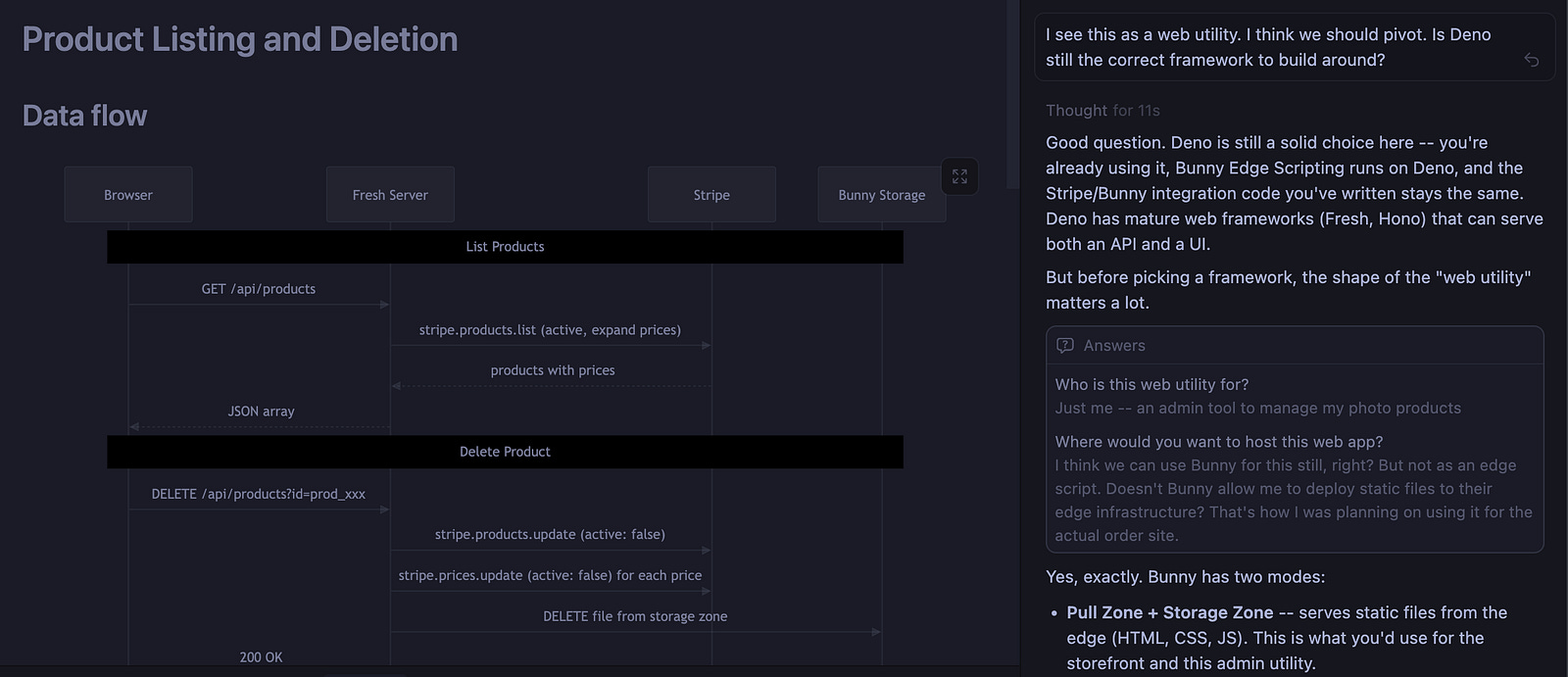
Shortly after, I realized my original plan — creating an edge script to automatically handle Stripe products when I uploaded a file to Bunny — wasn’t viable. I had to pivot. This is usually where AI gets bogged down.
But Cursor and Opus did something different. Instead of just diving into the code, it asked to enter Planning Mode. Intrigued, I agreed. It started laying out a plan in a markdown file.
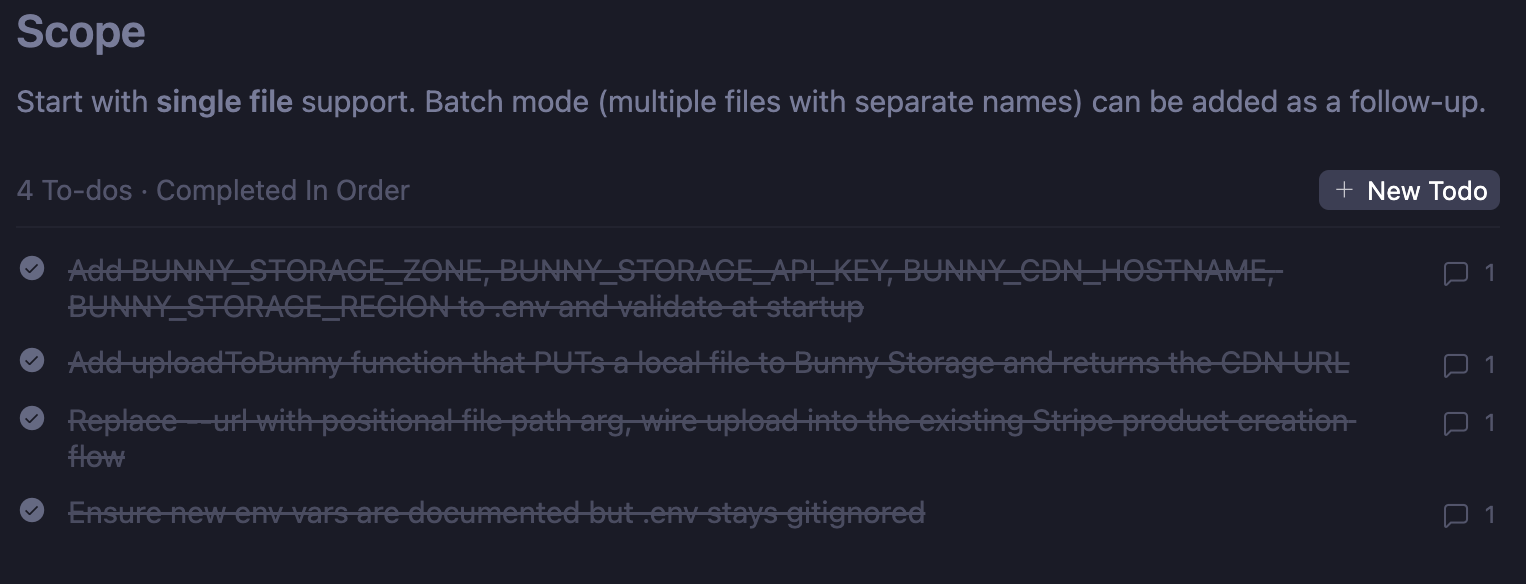
It wasn’t as bloated as BMad, but it was thorough. It asked me fewer than five questions, created data diagrams, and built a todo list. It was a tangible plan that even a human could have followed. It felt like a focused grooming session on a new feature.
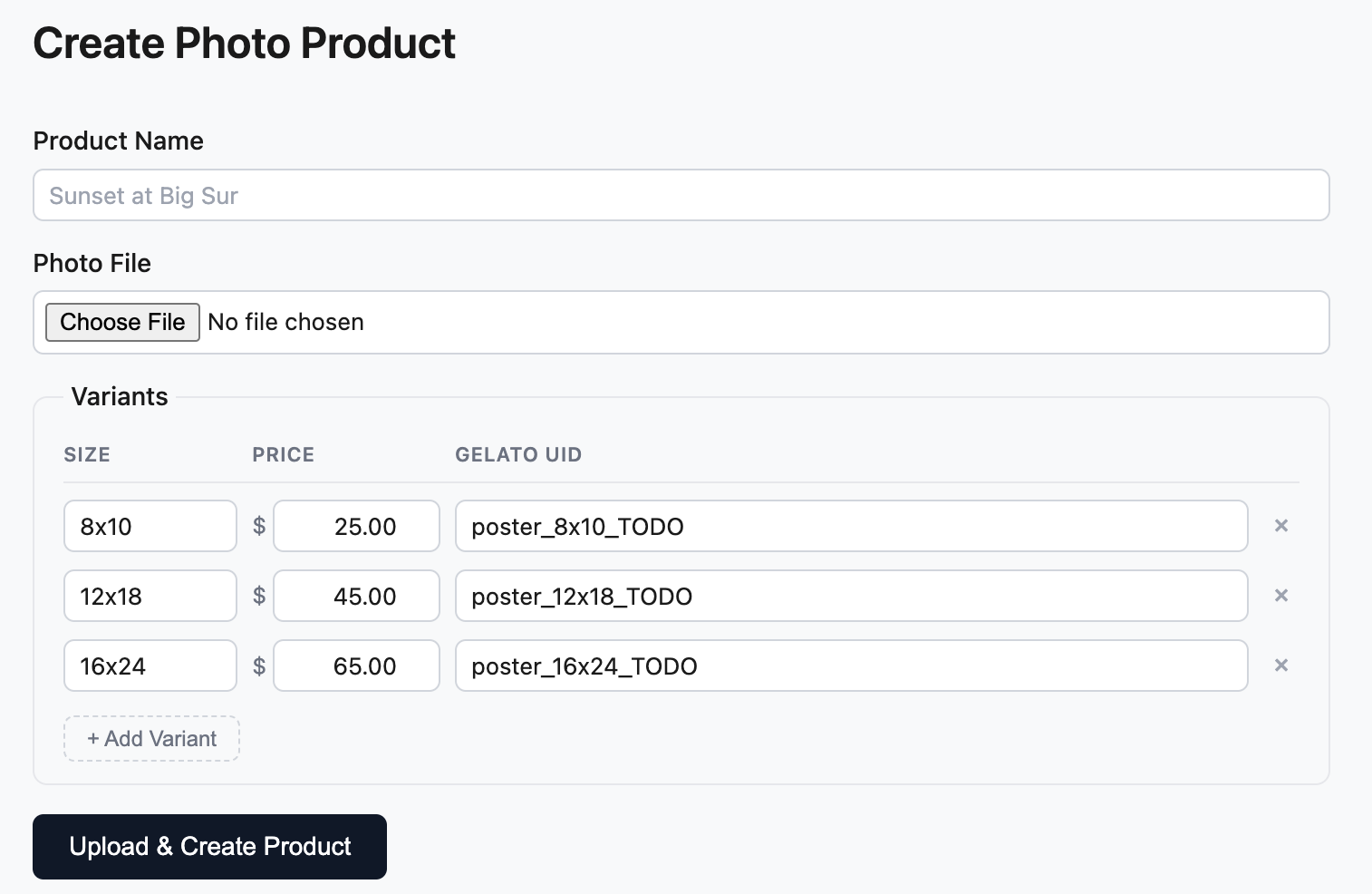
At the end, I had multiple markdown files — one for each major change I made. It wasn’t a corporate slog; it was actually fun. I ended up with a nice little UI that takes a photo upload, sends it to Bunny, and creates a Stripe product. Exactly what I wanted, nothing I didn’t, but with the added benefit of human-readable documentation.
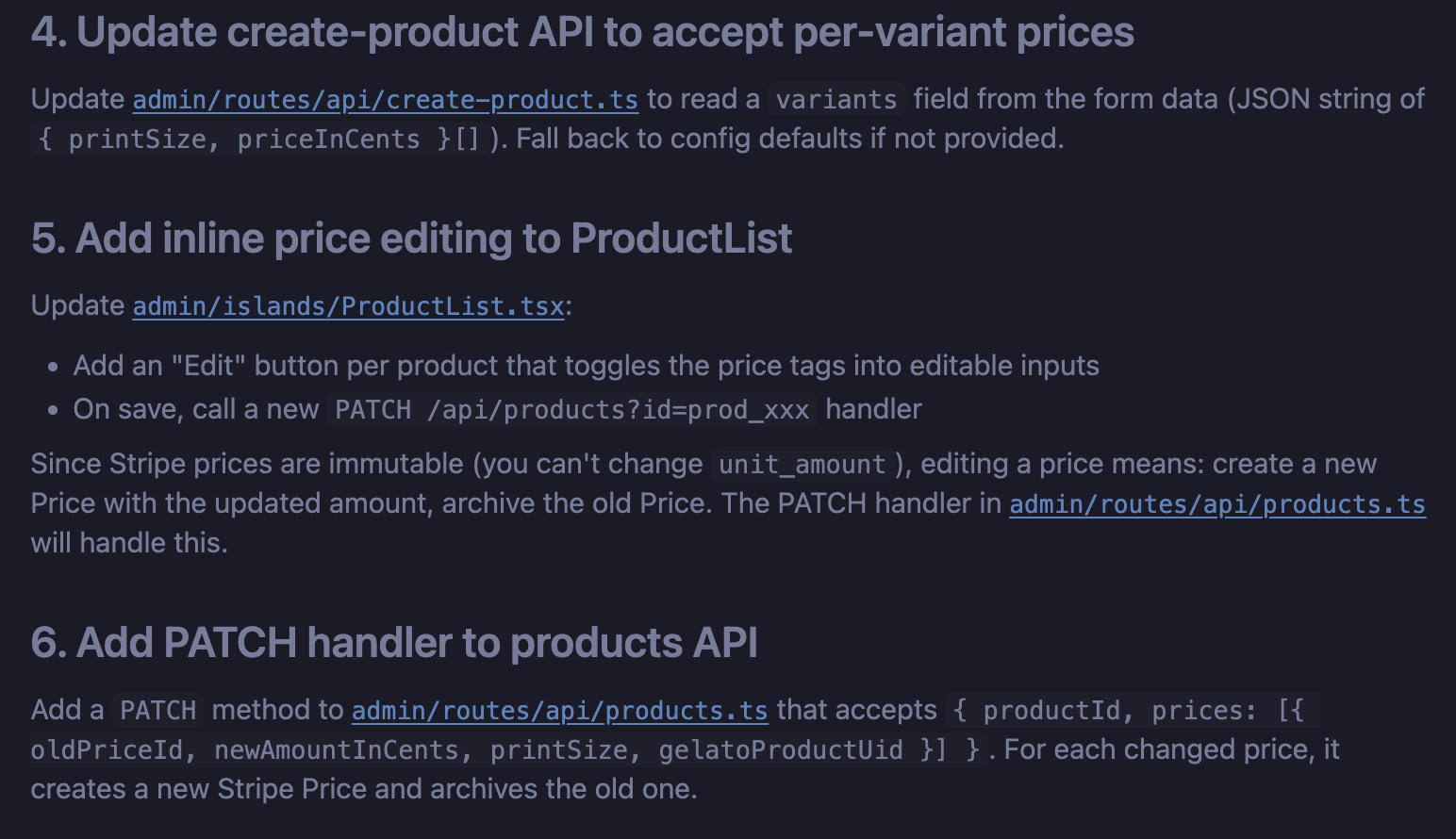
The AI even called out a specific limitation in a Stripe feature we discussed where Stripe products are immutable, so my product edit feature required significant workarounds. I didn’t know that, would have found it down the road, but the agent figured it out before it became an issue. I can imagine a couple of hours spent trying to get the Stripe API to do something that it simply won’t. The documentation clearly explained the limitation, and a workaround.
Throughout this development, it felt like I was the Product Manager and the AI was the lead developer telling me what was technically possible. That’s what I do every day, but here it happened in minutes and there was no contention.
Imagine this in a collaborative project. If I tried to edit a product and realized it wasn’t possible, that’s now documented. The next developer (or the next AI agent) can see why that feature doesn’t exist or how we planned to work around it.
This is what we should have been doing all along, but now, the tax of documentation has been eliminated.
Moving Forward
To me, this is the future of AI in software development. I don’t buy the idea that engineers are going to be replaced wholesale by agents.
What I do believe is that AI will facilitate our ability to document, plan, and pivot more freely. Boring, stressful tasks that used to take hours of meetings with multiple stakeholders can be replaced by two key people in a room banging out a plan that can be implemented immediately with the help of AI.
Product people and engineers will finally be speaking the same language. Even more importantly, we can explore paths that weren’t possible before because of time constraints. Deadlines no longer have to prohibit us from testing a new idea, and the fear of trashing code starts to disappear when the plan and the context are generated for you.
This is the AI future worth looking forward to — not the vibe coding hell currently being pushed.